

Promokit Captcha (pkcaptcha)
Overview
Promokit Captcha integrates Google reCAPTCHA to protect forms from spam. The module supports both reCAPTCHA v2 and v3. The default configuration shipped with the module uses reCAPTCHA v3.
Configuration
To start using reCAPTCHA, you need to sign up for an API key pair for your site. The key pair consists of a site key and secret key. The site key is used to invoke reCAPTCHA service on your site or mobile application. The secret key authorizes communication between your application backend and the reCAPTCHA server to verify the user's response.
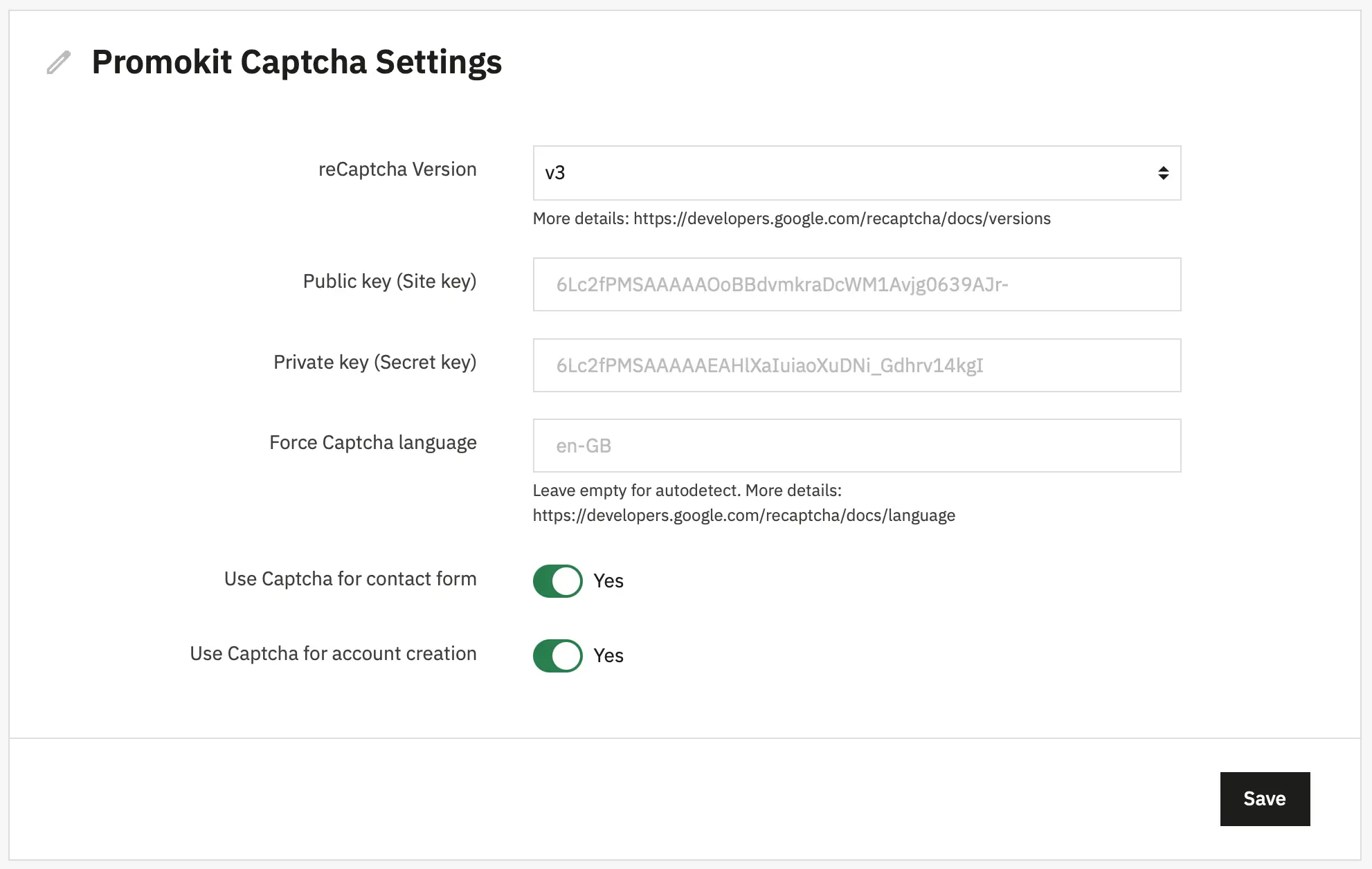
- reCaptcha Version — Choose which reCAPTCHA API to use:
v2(explicit widget) orv3(token-based). - Public key (Site key) — Your site key supplied by Google reCAPTCHA; used in client-side widget calls.
- Private key (Secret key) — Your secret key supplied by Google; used only server-side to verify tokens. Keep this private.
- Force Captcha language — Optional language code (e.g.
en-GB). Leave empty to autodetect. - Use Captcha for contact form — Toggle to enable captcha protection on the contact form.
- Use Captcha for account creation — Toggle to enable captcha on customer registration (account creation).
Defaults are read from config/default.json and persisted in module configuration (DB key PKCAPTCHA_CONFIG).
Used Hooks
The module registers and uses these hooks:
displayHeader— to inject JS config and register the module JS files.actionContactFormSubmitCaptcha— system hook executed when registering a new account (AuthController override).actionContactFormSubmitBefore— system hook executed before the contact formsendMessage(contactform override).actionBeforeFormSubmit— another system hook used as a general pre-submit point.
Overrides
The module includes two overrides (these are required for the module's flow):
override/controllers/front/AuthController.php— injectsactionContactFormSubmitCaptchawhen handling registration (submitCreate).override/modules/contactform/contactform.php— injectsactionContactFormSubmitBeforebeforesendMessage().
Note: Overrides must be enabled on the shop
Frontend behaviour (JS)
The module outputs a JS object via Media::addJsDef under pkcaptcha with the following properties:
sitekey— the public keyversion—2or3lang— optional forced languagecontactform— whether contact form captcha is enabledcreateaccount— whether account creation captcha is enabled
The included script views/js/scripts.js does:
- Detects if there are matching forms on the page and whether the corresponding feature is enabled.
- Loads the Google reCAPTCHA script only when needed:
- For v3: loads
https://www.google.com/recaptcha/api.js?render=SITEKEY&size=compact - For v2: loads
https://www.google.com/recaptcha/api.js?onload=onloadCallback&render=explicit[&hl=LANG]
- For v3: loads
- v2 behaviour: creates a container with id
captcha-boxand appends it into form target areas. - v3 behaviour: intercepts form submit, requests a token (
grecaptcha.execute) and injects a hidden input namedg-recaptcha-responsewith the token, then submits the form.
Forms / selectors targeted by the script (see views/js/scripts.js):
.contactform-captcha— appends captcha to.form-fields(contact form).ce-contact-form— appends captcha to.elementor-form-fields-wrapper(Creative Elements contact form).js-customer-form— account creation form, targetsection(create account)
The created hidden field name for server validation is g-recaptcha-response (this is what the server code reads).
Dependency
The module depends on the contactform module. The dependency is declared in the main module class.
Security
- Keep your
Private Keysecret and never expose it in client-side code. OnlyPublic Keyis used on the client. - Consider using reCAPTCHA v3 score thresholds and action checking for improved spam filtering.