
Promokit Favorites (pkfavorites)
Overview
Fast way for customers to save products to a favorites list (works for guests and logged-in users).
Configuration
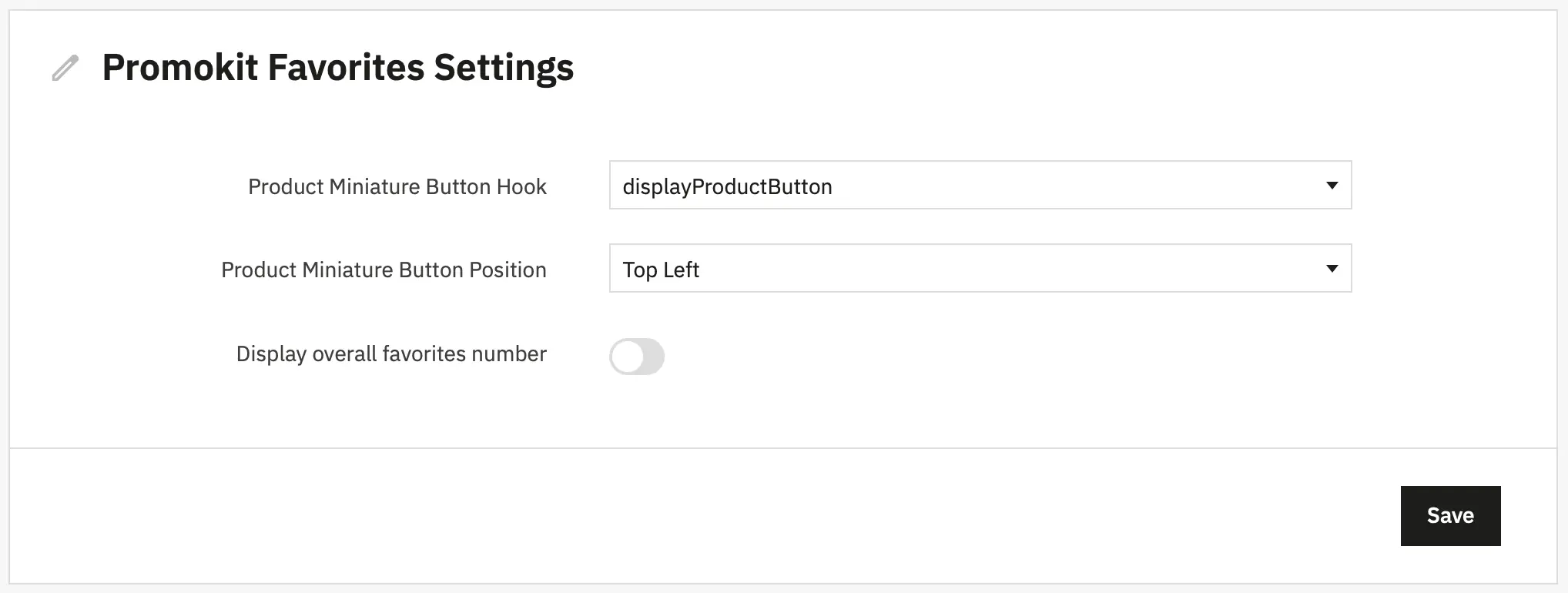
button_hook: where the product button is rendered —displayProductButton(default) ordisplayProductButtonFixed.button_position: visual button position value (e.g.pktopright).overall_number:false|true— whether to show overall favorites counter.
Use the module configuration page in Back Office to edit these values (the module persists configuration via its Config service).
Used Hooks
displayHeader: loads assets and exposespkfavoritesJS config.displayMoreButtons: product page extra buttons area.displayProductButton: product listing / product tile button.displayProductButtonFixed: alternative product button hook.displayCustomerAccount: renders a link / block for the customer's favorites inMy accountarea.displayMyAccountBlock: renders a small block for My Account.actionAuthentication: on customer login — copies favorites from cookies into DB.displayBackOfficeHeader: loads admin CSS when configuring the module.moduleRoutes: registers module front controller routes.
Troubleshooting
- If the favorites button doesn't appear, verify
button_hookconfig and that the chosen hook is present in your theme templates. - If cookie migration on login doesn't copy items, check
actionAuthenticationhook is registered and enabled.