Installation
Installation via browser
Follow the steps below to set up your site template:
- Unzip downloaded archive and find installation .zip file in the
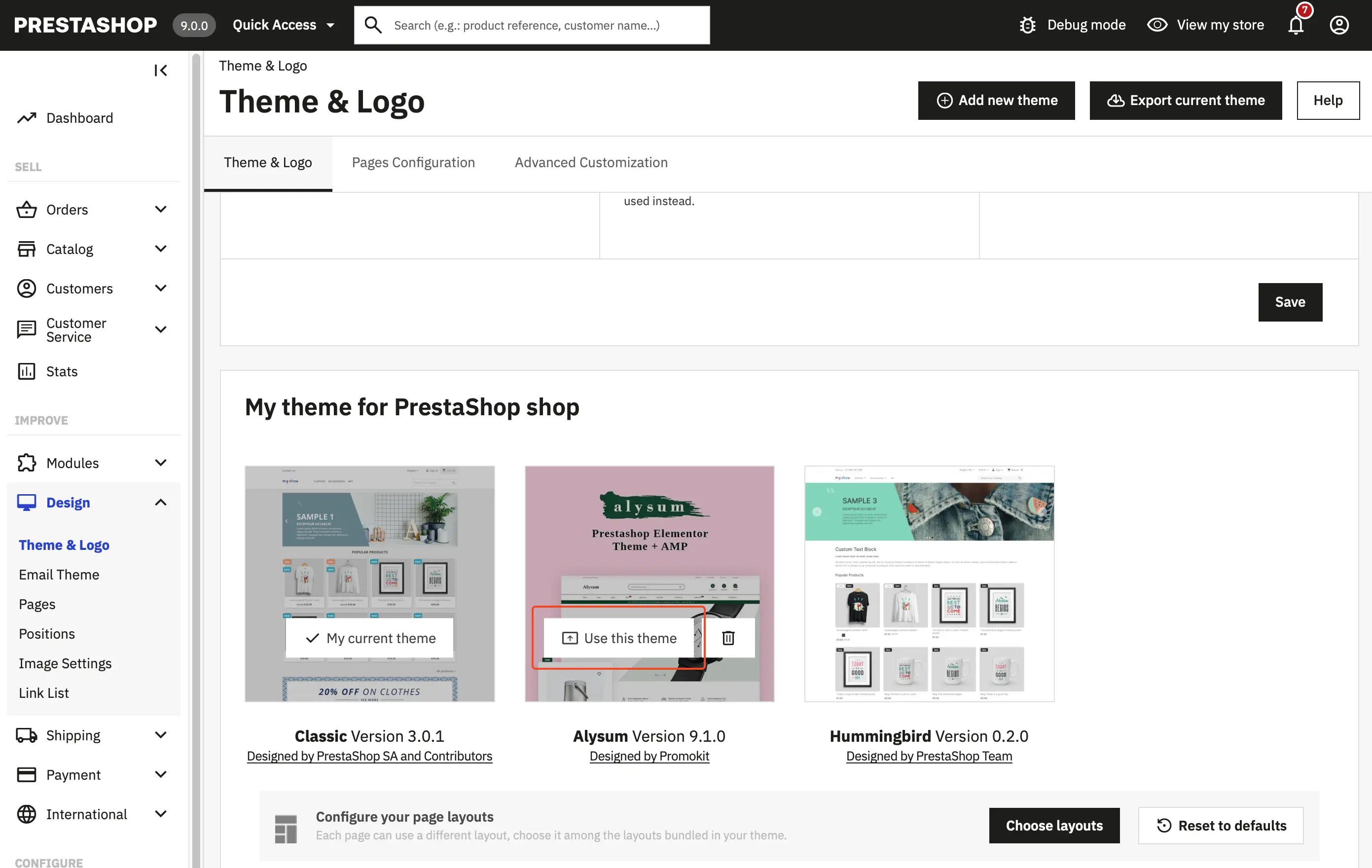
Themefolder. "Installation zip" file is calledalysum-v.X.X.X.zip - Log in to your PrestaShop Back Office and navigate to
Design→Theme & Logo. - Click the Add new theme button, then browse and upload the zipped theme file.
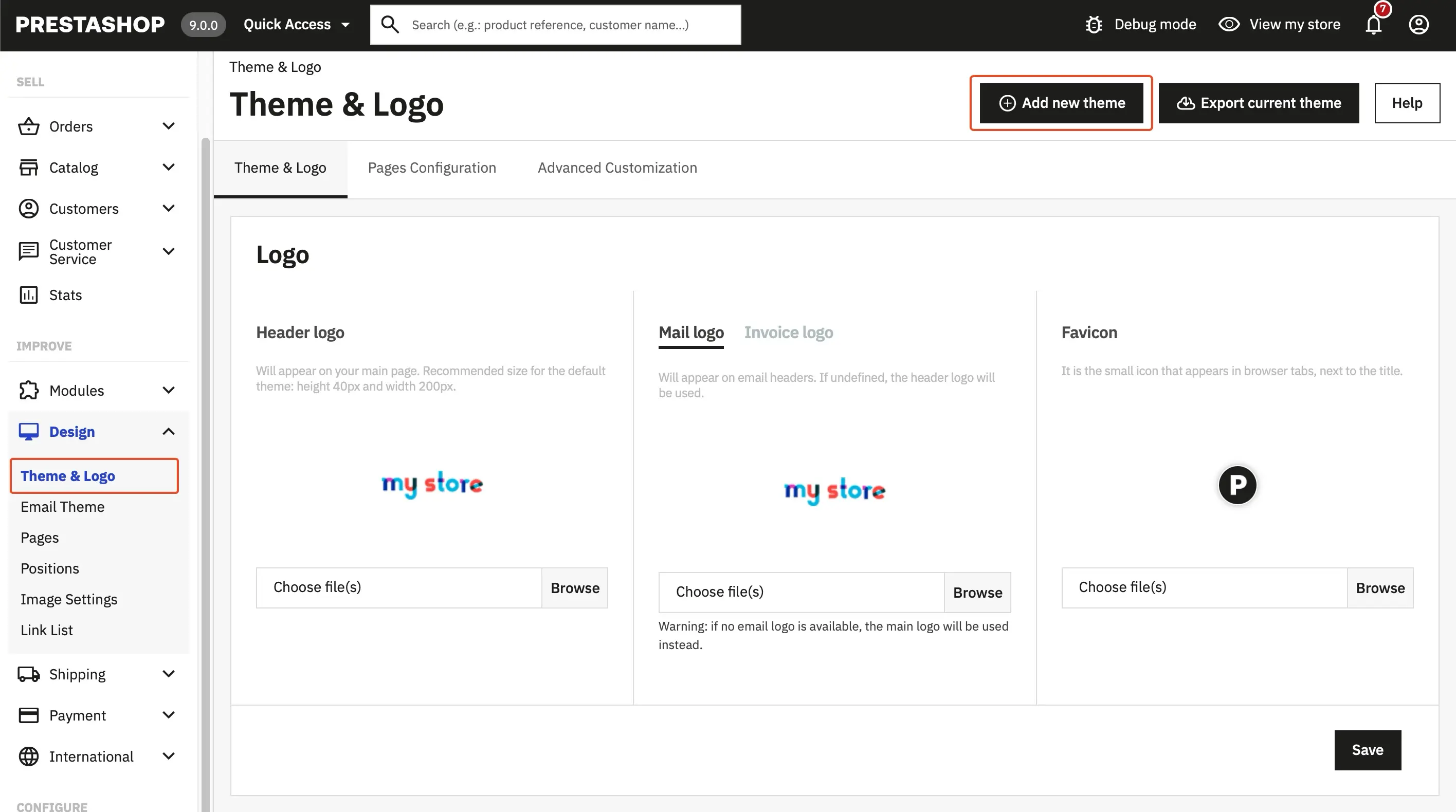
- select .zip file in the "Import from your computer" section
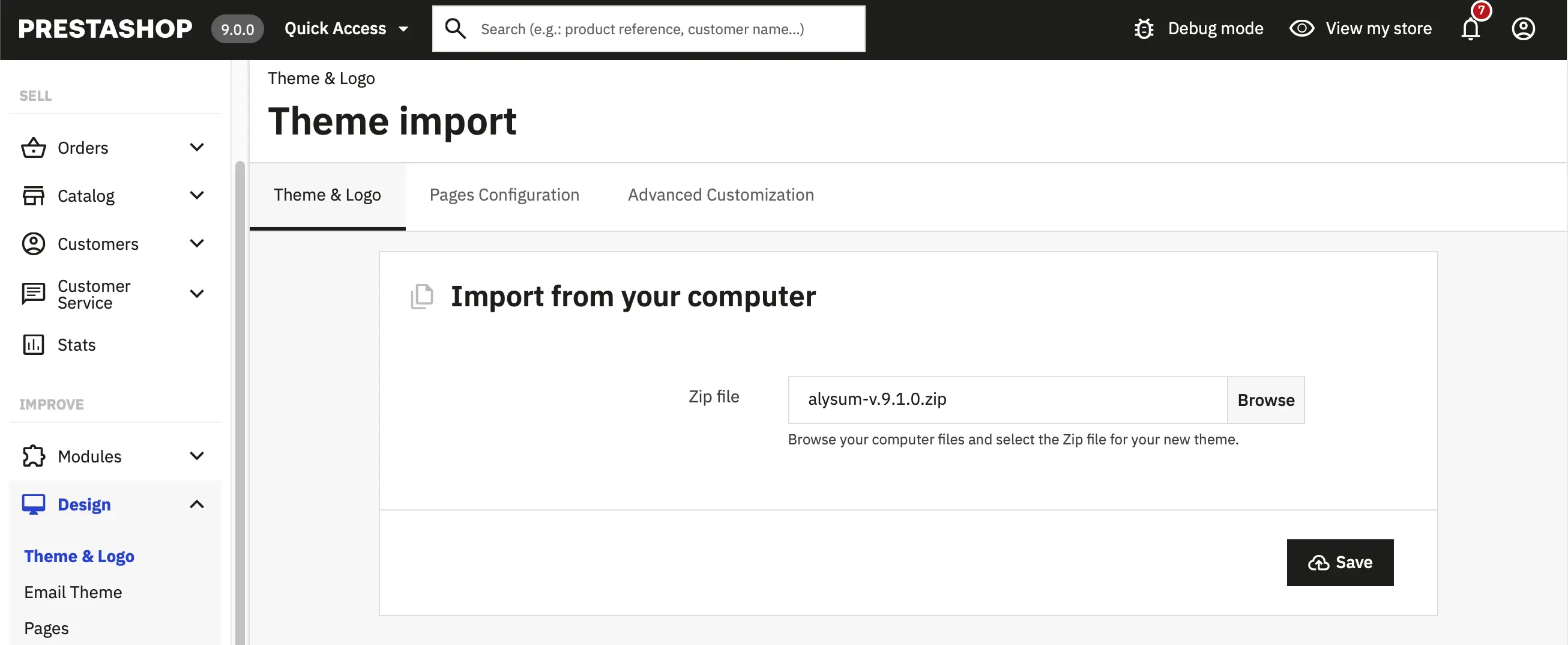
Once Prestashop has unpacked and installed the theme, just click to Use this theme button