

Promokit Extended Product (pkextproduct)
Overview
Promokit Extended Product extends product miniatures by allowing store admins to add per-product presentation overrides: larger miniature sizes (2x, 3x), custom product links, and custom images that can be injected into product listings (useful for banners or promotional placements).
The module is intended to be theme-agnostic but requires selector configuration when using the JavaScript injection method so it can find product miniatures in the DOM.
Configuration
Module Settings
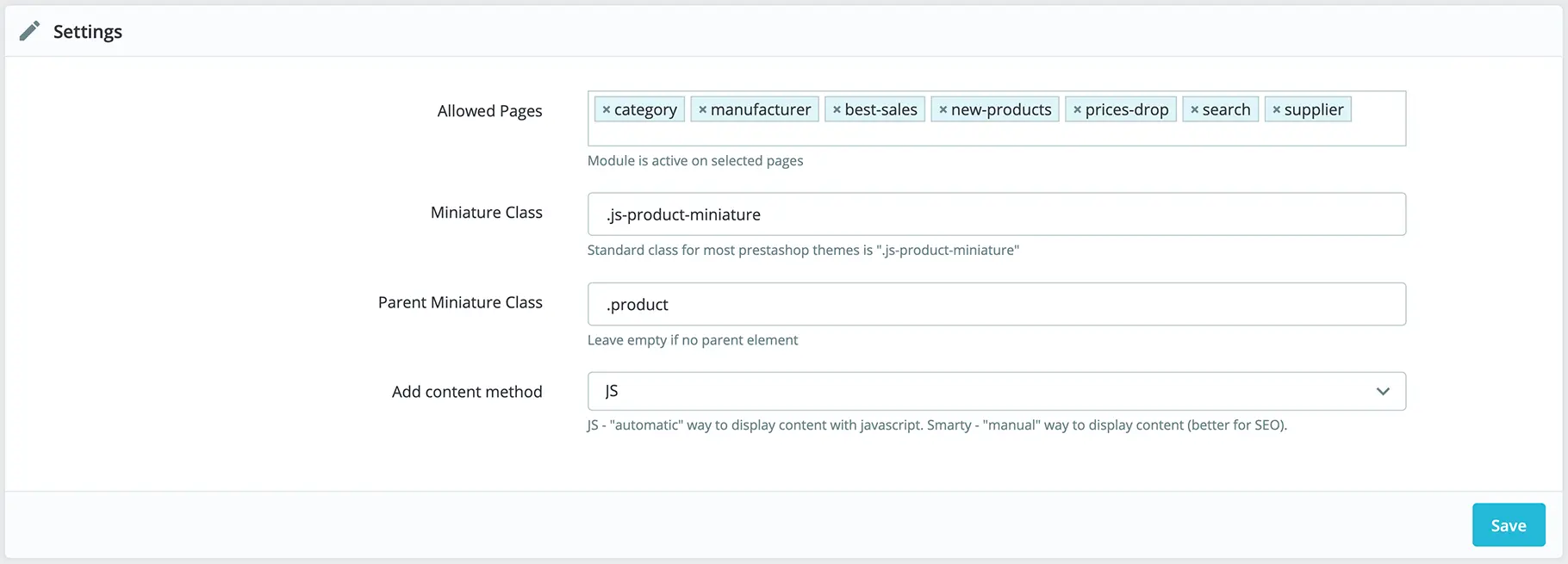
- Allowed Pages — Select which product listing pages should apply extended product configuration (category, manufacturer, search, etc.).
- Injection Method — Choose how the module applies overrides:
- JS Method — Module injects overrides client-side using JavaScript. You must configure CSS selectors/classes that identify your product miniature structure. Defaults target the Classic theme.
- Server / Template Method — If your theme supports module hooks or you prefer server-side rendering, override templates or use hook templates to render extended product markup.
- Miniature Class — CSS class of the product miniature element (default for Classic:
.js-product-miniature). - Parent Miniature Class — Optional parent selector for miniature items when the miniature is wrapped inside another element.
Product-level settings
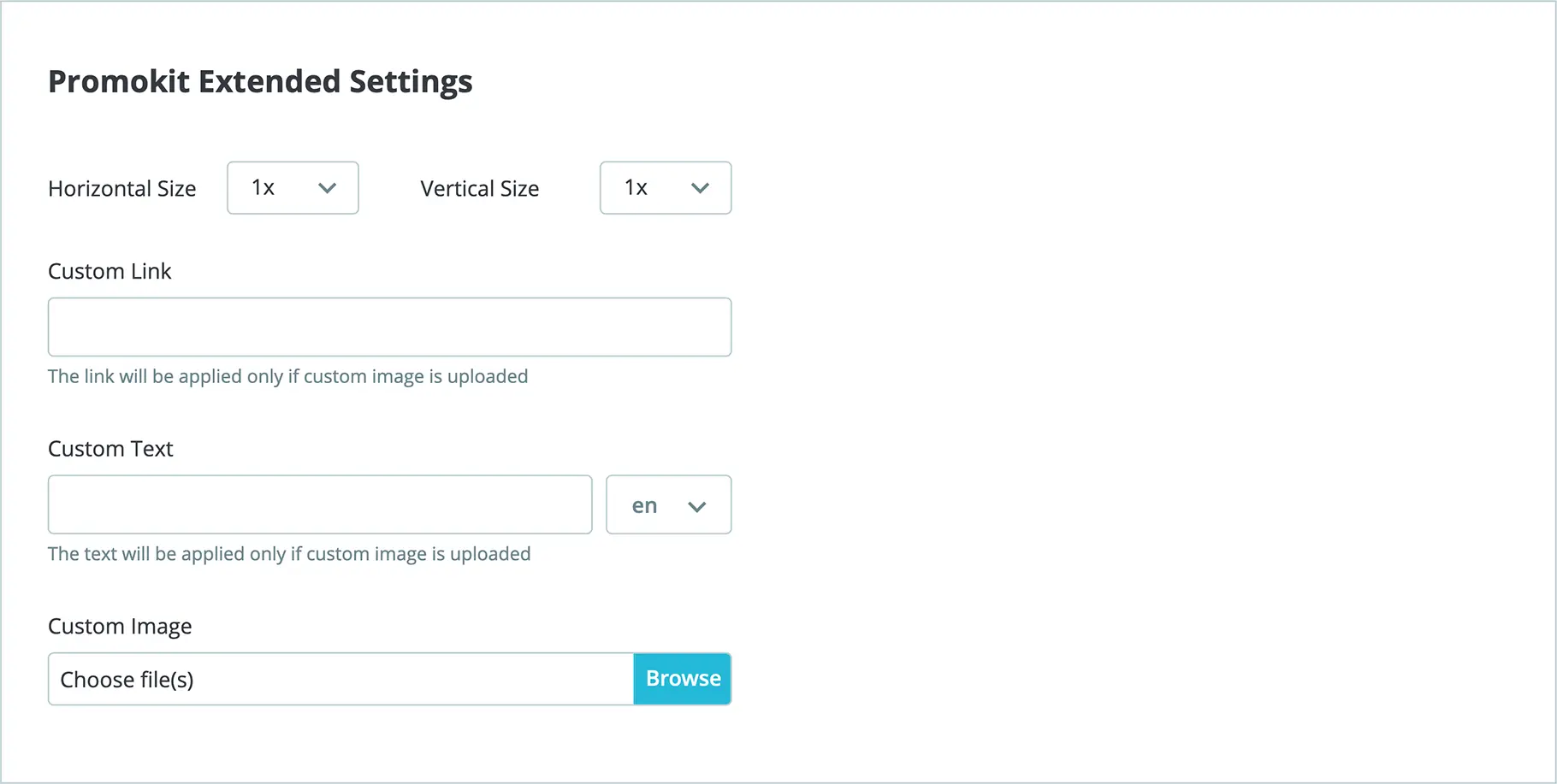
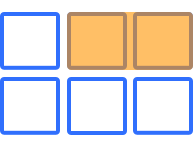
- Horizontal Size — widen the miniature by
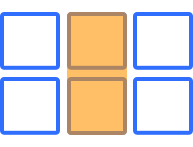
2xor3x. - Vertical Size — increase miniature height by
2xor3x. - Custom Link — override the product URL to point elsewhere (campaign, landing page).
- Custom Image — override the product miniature with a custom image (useful for promotional banners).
How it works (JS injection)
When the JS Method is selected the module searches the page for product miniatures using the configured selectors. For each matched item the module can:
- Apply a larger horizontal or vertical size (2x / 3x) via CSS classes.
- Replace the product link with a custom URL provided in the product's extra fields.
- Replace the product miniature content entirely with a custom image (banner) when specified.
Example theme snippet showing how product miniatures are expected to be structured (Classic-theme style):
{block name='product_miniature_item'}
<div class="product"> <!-- Parent Miniature Class -->
<article class="product-miniature js-product-miniature"> <!-- Miniature Class -->
<div class="thumbnail-container"> <!-- Product Miniature Element -->
...
</div>
</article>
</div>
{/block}Visual examples
- Horizontal size example:
- Vertical size example:
Notes for integrators
- If your theme significantly departs from Classic markup you should update the
Miniature ClassandParent Miniature Classsettings so the module's JS can find items. - For server-side integration prefer overriding the theme templates and using the module-provided partials where available.
Changelog
v1.0.1
- Fixed multistore image names
- Added an option to change category page style
v1.0.0
- Initial release