

Promokit Comparison (pkcompare)
Overview
Promokit Comparison is a smart way to allow your customers to choose a product by comparing similar products based on price, features, etc...
Configuration
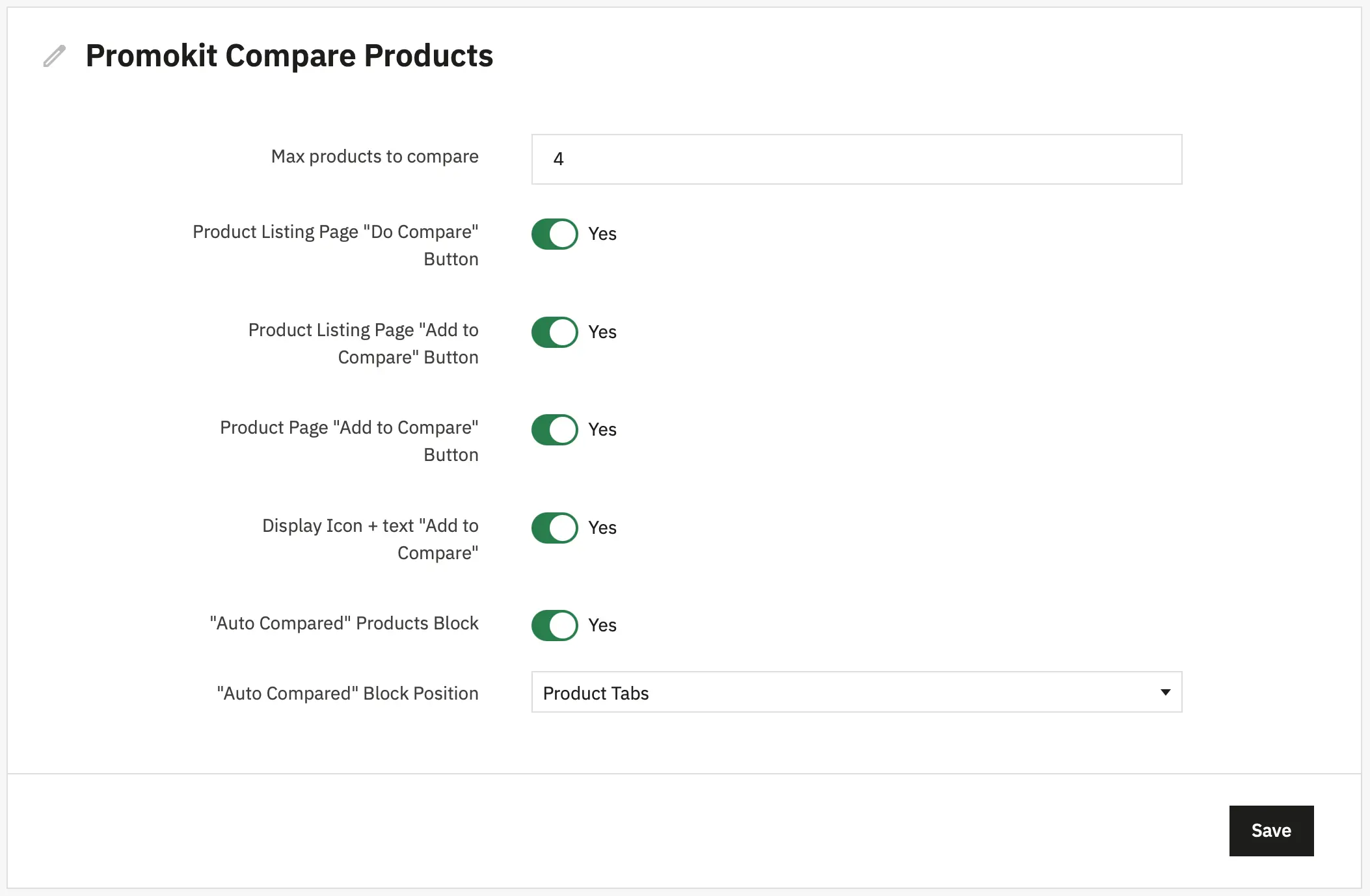
General
- Max products to compare — maximum number of products allowed in comparison.
Category Page
- Product Listing Page "Do Compare" Button — show "Do Compare" button in the product listing top bar.
- Product Listing Page "Add to Compare" Button — show "Add to Compare" button on each product miniature in category/listing pages.
Product Page
- Product Page "Add to Compare" Button — show "Add to Compare" button on the product page.
- Display Icon + text "Add to Compare" — show icon and text instead of icon-only for add/remove buttons.
Auto Compared
- "Auto Compared" Products Block — enable automatic quick-compare block based on price similarity.
- "Auto Compared" Block Position — where to display the auto-compare block (product tabs or product footer).
Defaults are stored in config/default.json and the module configuration is persisted under DB key PKCOMPARE_CONFIG.
Using hooks in Smarty templates
Below are examples of how to place the module hooks inside your theme's Smarty templates.
Insert these into the indicated files (or your theme equivalents) to display "Add to compare" button on Product Listing page:
/themes/YOUR_THEME/templates/catalog/_partials/miniatures/product.tpl
{hook h='displayProductButton' product_id=$product.id}To display "Add to compare" button on Product Page
/themes/YOUR_THEME/templates/catalog/product.tpl:
{hook h='displayMoreButtons' product_id=$product.id}Used Hooks
actionAdminControllerSetMedia: Loads module admin CSS when the module admin controller is active.displayHeader: Enqueues frontend JS/CSS and exposespkcompareJS config.displayProductListTop: Renders the "Do Compare" button in product listing top bar and provides the link to the compare page.displayMoreButtons: Renders the "Add to Compare" button area on the product page (used by product page templates).displayProductButton: Renders the "Add to Compare" button on product miniatures (category/listing templates), acceptsproduct_idparam.displayFooterProduct: Injects the auto-compare block into the product footer.displayProductExtraContent: Provides a ProductExtraContent tab entry (Quick Compare).moduleRoutes: Exposes module-specific routes.