
Promokit Lookbook (pklookbook)
Overview
A lookbook is a visual collection of styled product placements — a great way to show products on models or inside interiors. pklookbook lets you create Lookbook pages (full pages listing lookbook items) and Lookbook widgets (select items shown in a block or hooked area).
Configuration
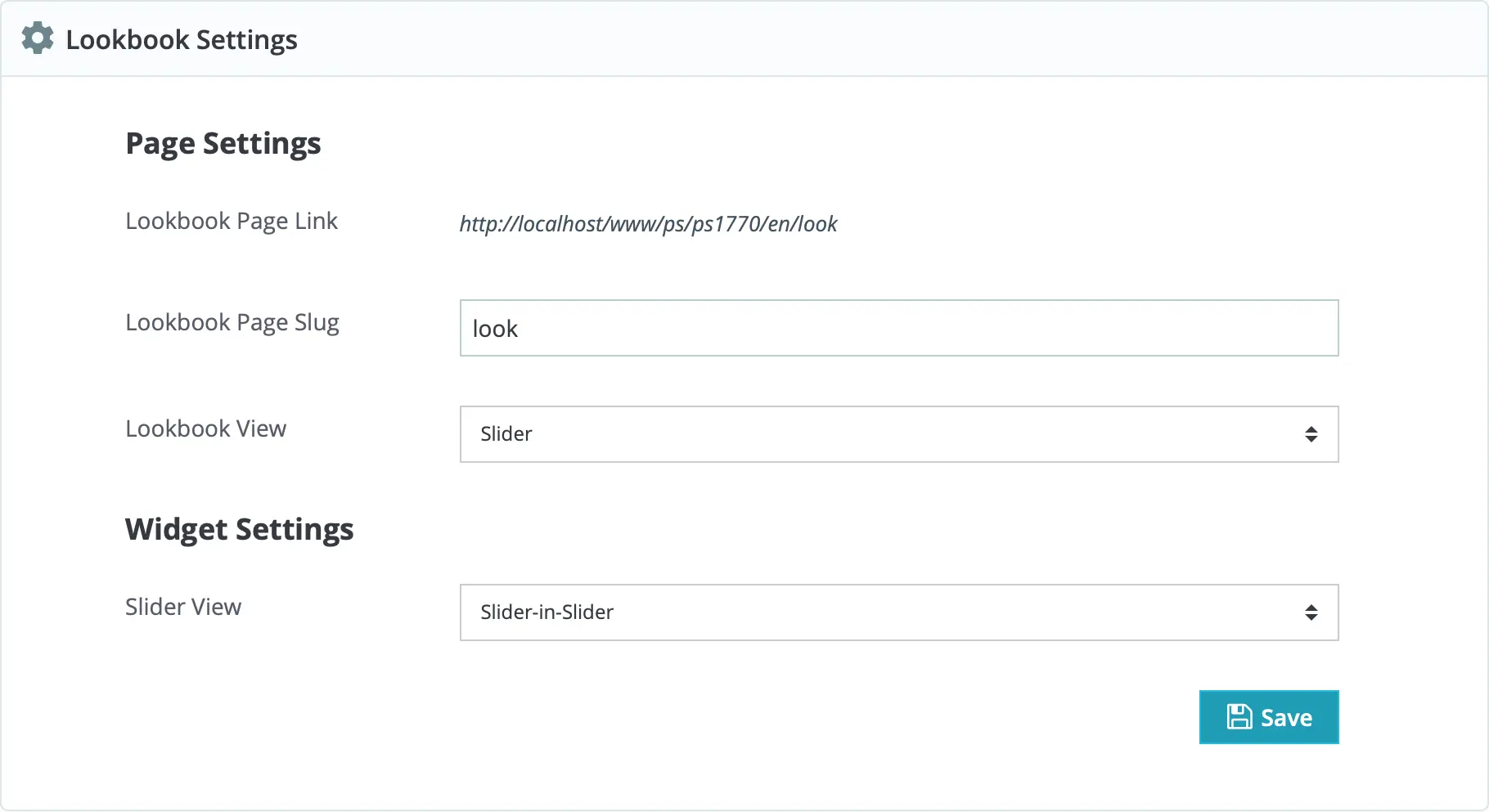
The module provides two entities:
- Lookbook Page — displays all lookbook items on a dedicated page (route slug is configurable).
- Lookbook Widget — displays selected lookbook items in a compact widget that you can place using theme hooks or page builders.
Page Settings
- Lookbook Page Slug — the URL segment identifying the lookbook page (stored in config, defaults to
lookbook). - Lookbook View — how a lookbook item is presented. Available view modes:
- Classic — two-column layout with the lookbook image on the left and an ordered product list on the right.
- Alternative — two-column layout with an unordered product list.
- Slider — image on the left and a product slider on the right.
- List — list of lookbook items (two-column mode) with product details shown on hover/POI.
Widget Settings
Widget settings mirror page settings; you can choose the widget view (e.g. slider) and which items appear in the widget.
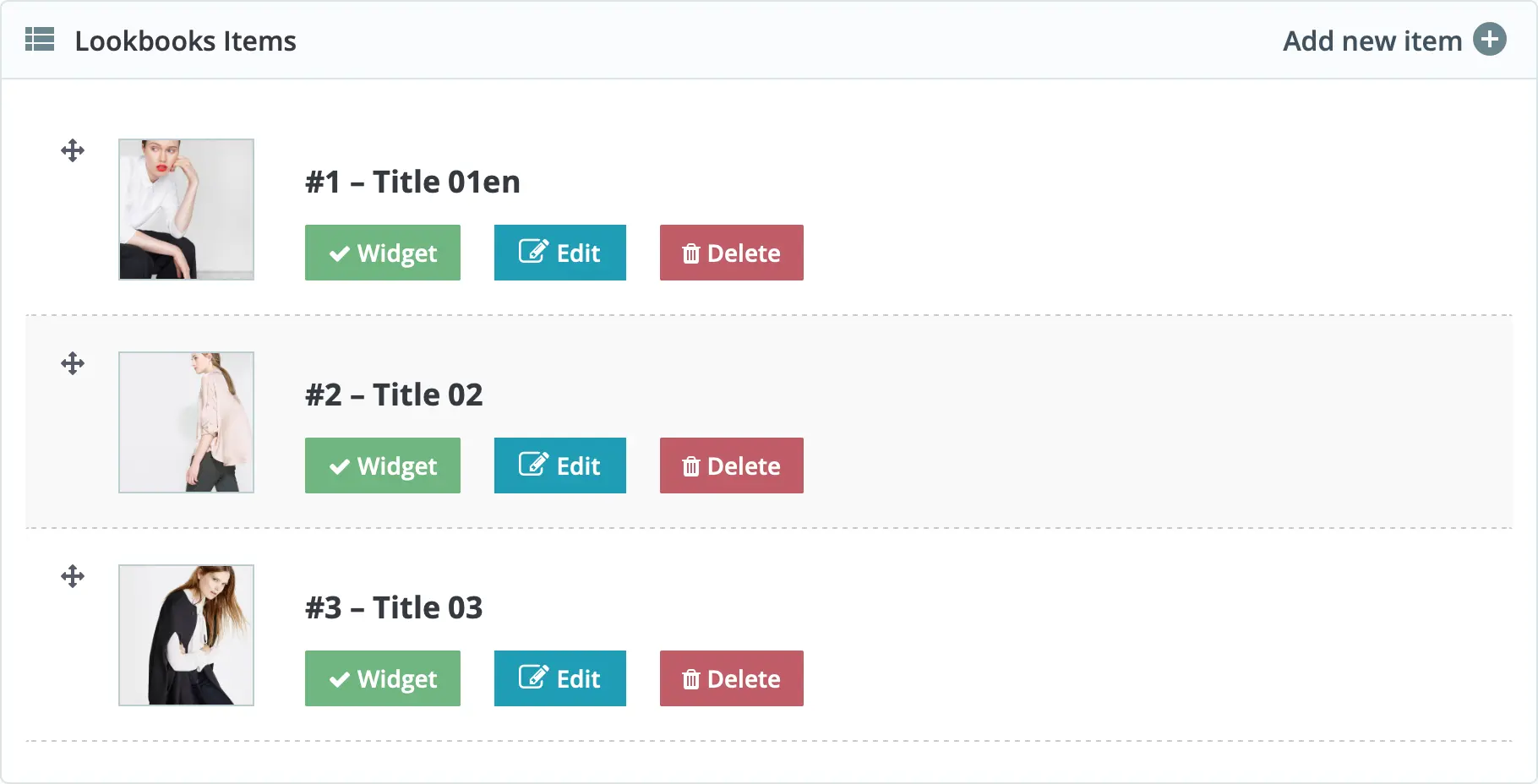
Lookbook Items (admin)
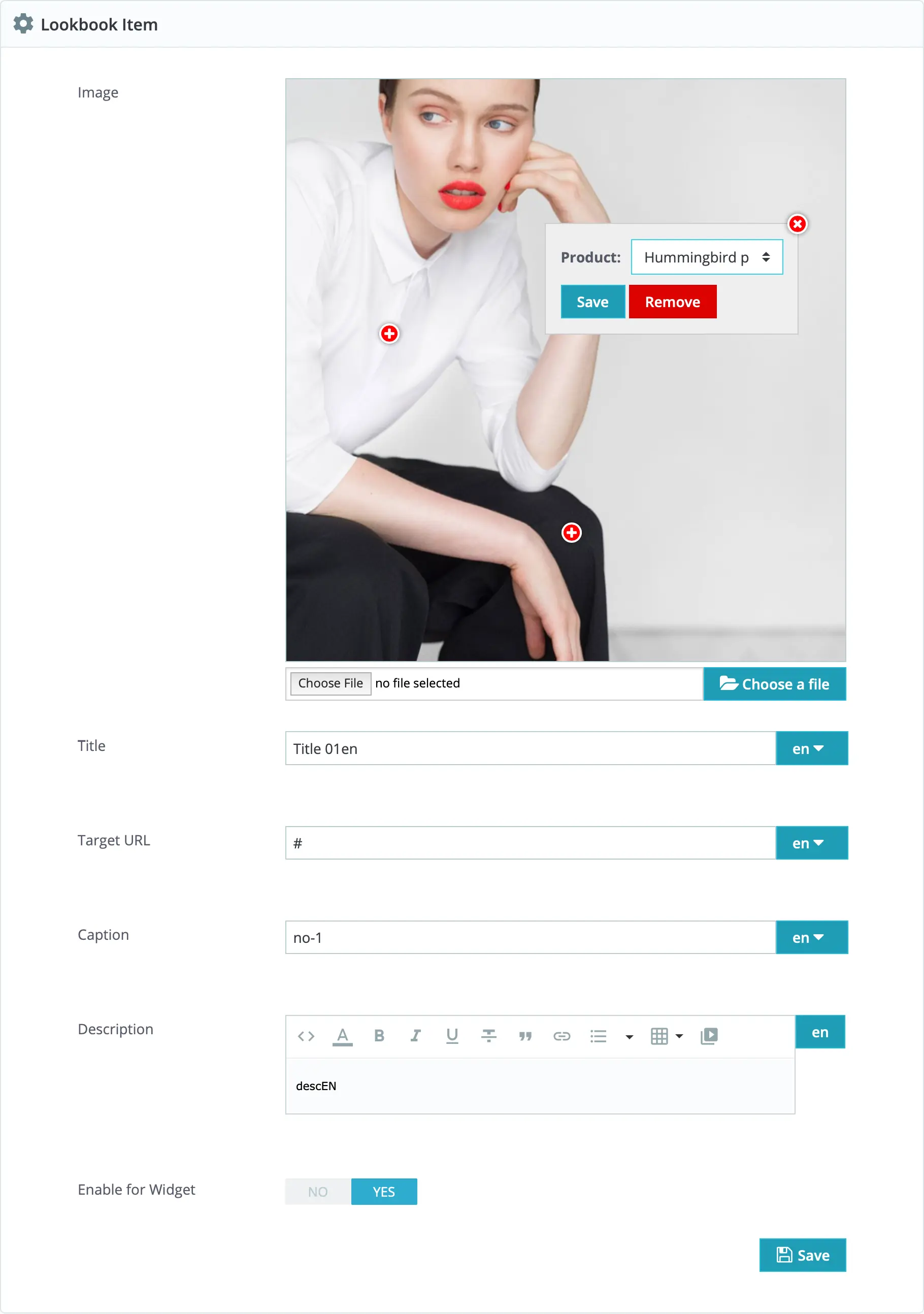
Create Lookbook Items in the Back Office: upload an image and assign Points Of Interest (POI) to map products to coordinates on the image.
- Widget — enable/disable an item for the widget (show on front page or any hooked position).
- Edit — open the item editor to add POIs and assign products to each point.
POI (Point Of Interest) lets you add an interactive point on the lookbook image that reveals or links to the assigned product.
Hooks used
displayBackOfficeTop— back-office top area (admin UI).actionShopDataDuplication— duplicate lookbook data when duplicating shop data.actionAdminControllerSetMedia— admin media registration.actionProductAdd,actionProductDelete,actionProductUpdate— product-related hooks to clear/update lookbook data when products change.moduleRoutes— registers the front route for the lookbook page (uses configured slug).